Homelab Hardware
The three mini PCs I bought for a Kubernetes homelab, what they cost, and what is left of them eighteen months later.
This post is still an accurate record of what I bought and what it cost. It is no longer an accurate description of my homelab.
| Box | Where it ended up |
|---|---|
| Glovary | Alive, and now doing all the work. Proxmox on bare metal, OPNsense as a VM. |
| AMD mini PC | Rebuilt as a desktop. Out of the lab. |
| ACEMAGIC | Dead. |
The Kubernetes cluster these were bought for is gone. My Home Lab covers why. The network topology section below has been rewritten, because that part changed the most.
Before diving into software and services, let's talk hardware. My homelab runs on three mini PCs, chosen for their balance of performance, power efficiency, and footprint.
The firewall and control plane: Glovary
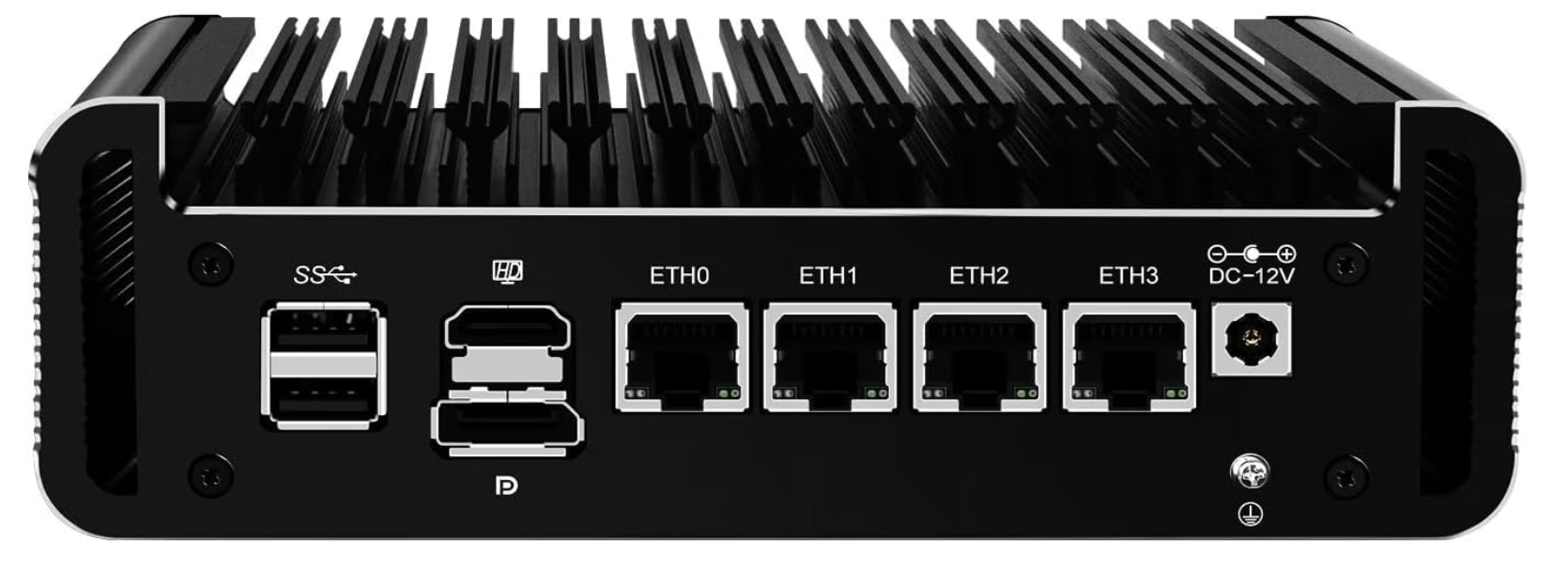
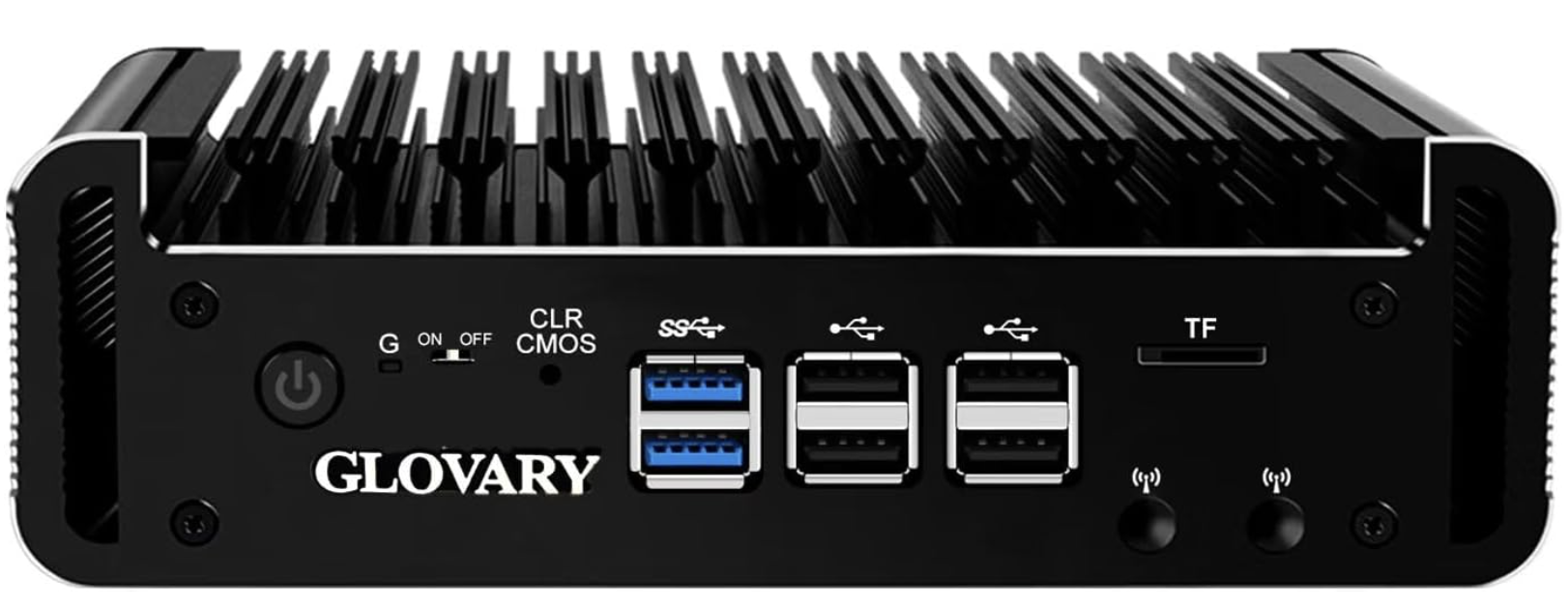
This Glovary appliance does double duty. Four Intel i226-V 2.5GbE NICs make it a good fit for OPNsense. On the same box, I run Proxmox to host a VM that acts as the Kubernetes control plane (intel-c-firewall).
Specs:
- CPU: Intel N100 (4 cores)
- RAM: 8 GB
- Storage: 128 GB NVMe
- Network: 4x 2.5GbE Intel i226-V
- Cost: 42,000 KSH
The N100 handles firewall duties and the Kubernetes API server with headroom to spare.
The primary worker: AMD mini PC
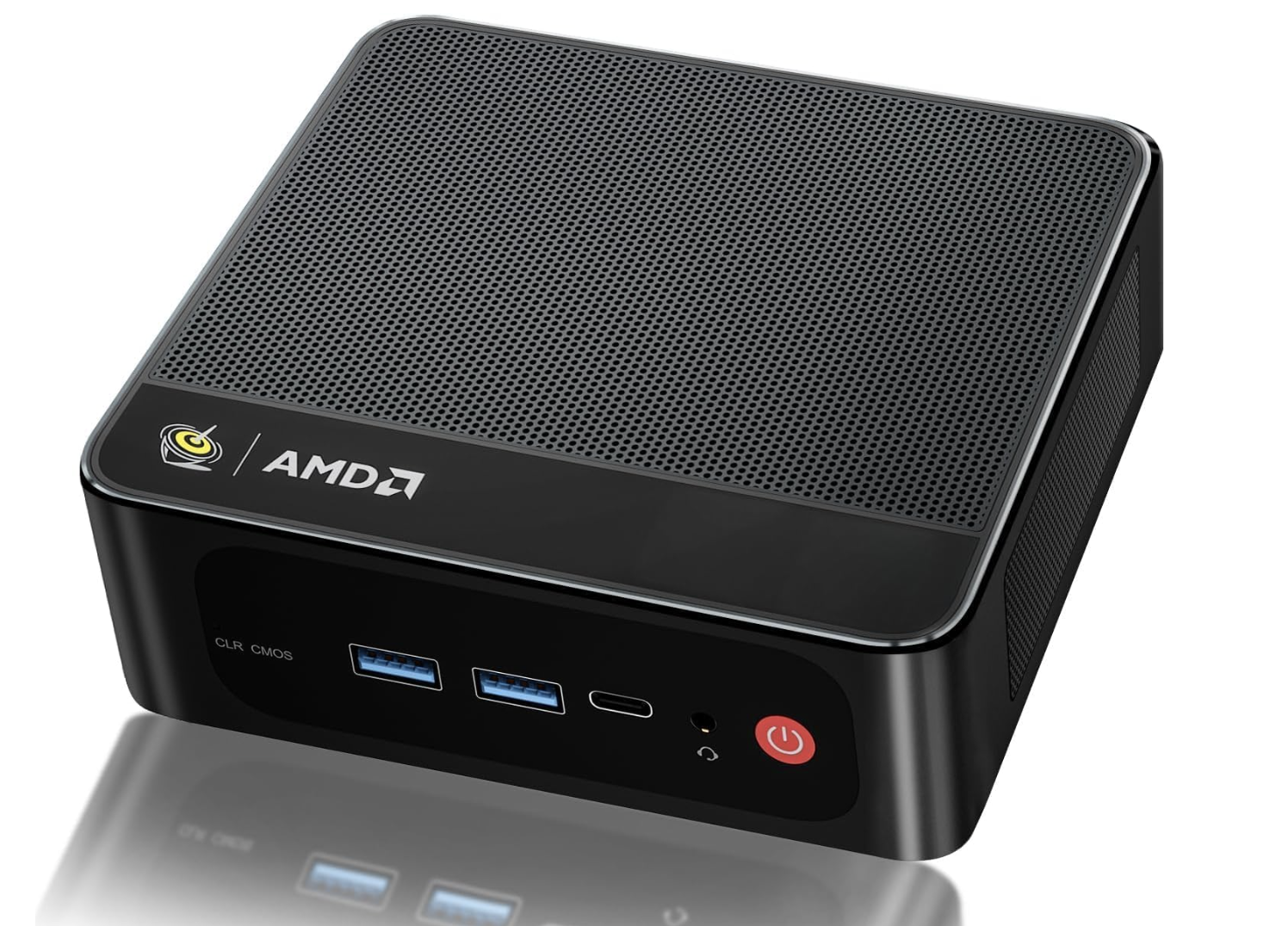
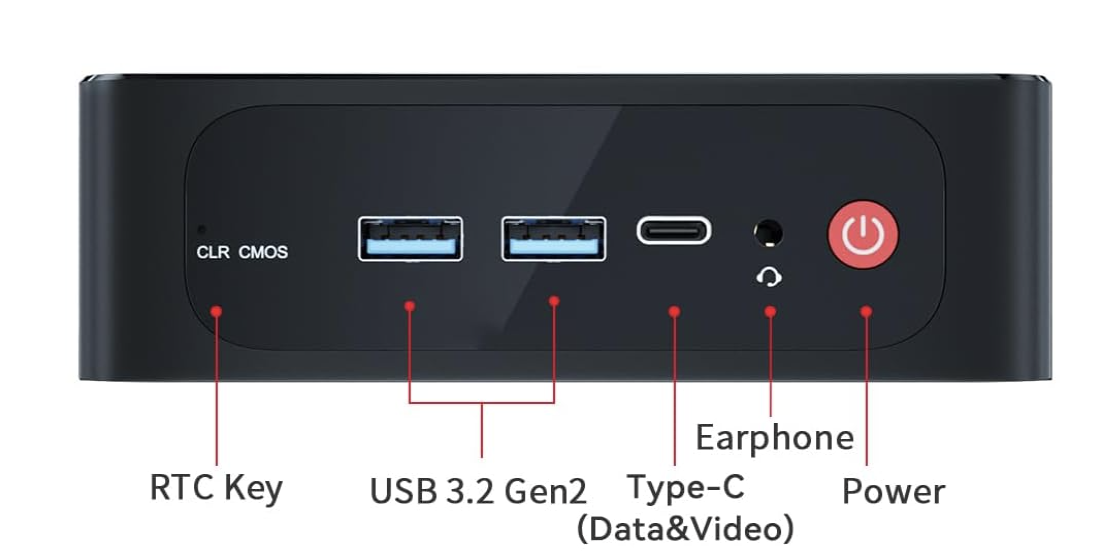
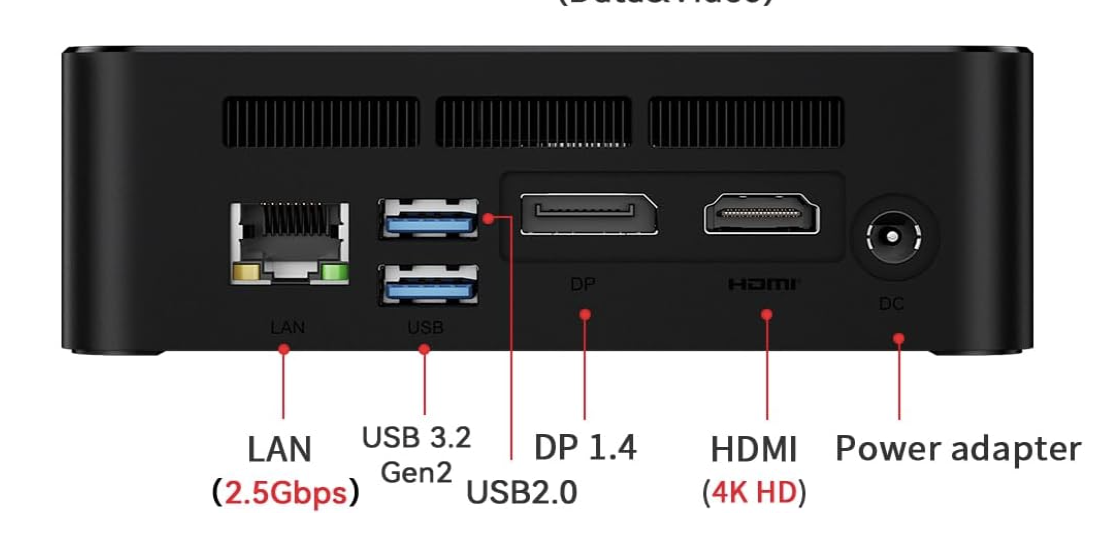
This AMD box (amd-w-minipc) is the workhorse. 16 cores, and it carries most of the application workloads.
Specs:
- CPU: AMD Ryzen (16 cores)
- RAM: 13 GB
- Storage: ~1 TB
- Network: 2.5GbE
- Cost: 40,000 KSH
The 2.5GbE port matters. Storage traffic between nodes saturates gigabit easily.
The storage worker: ACEMAGIC
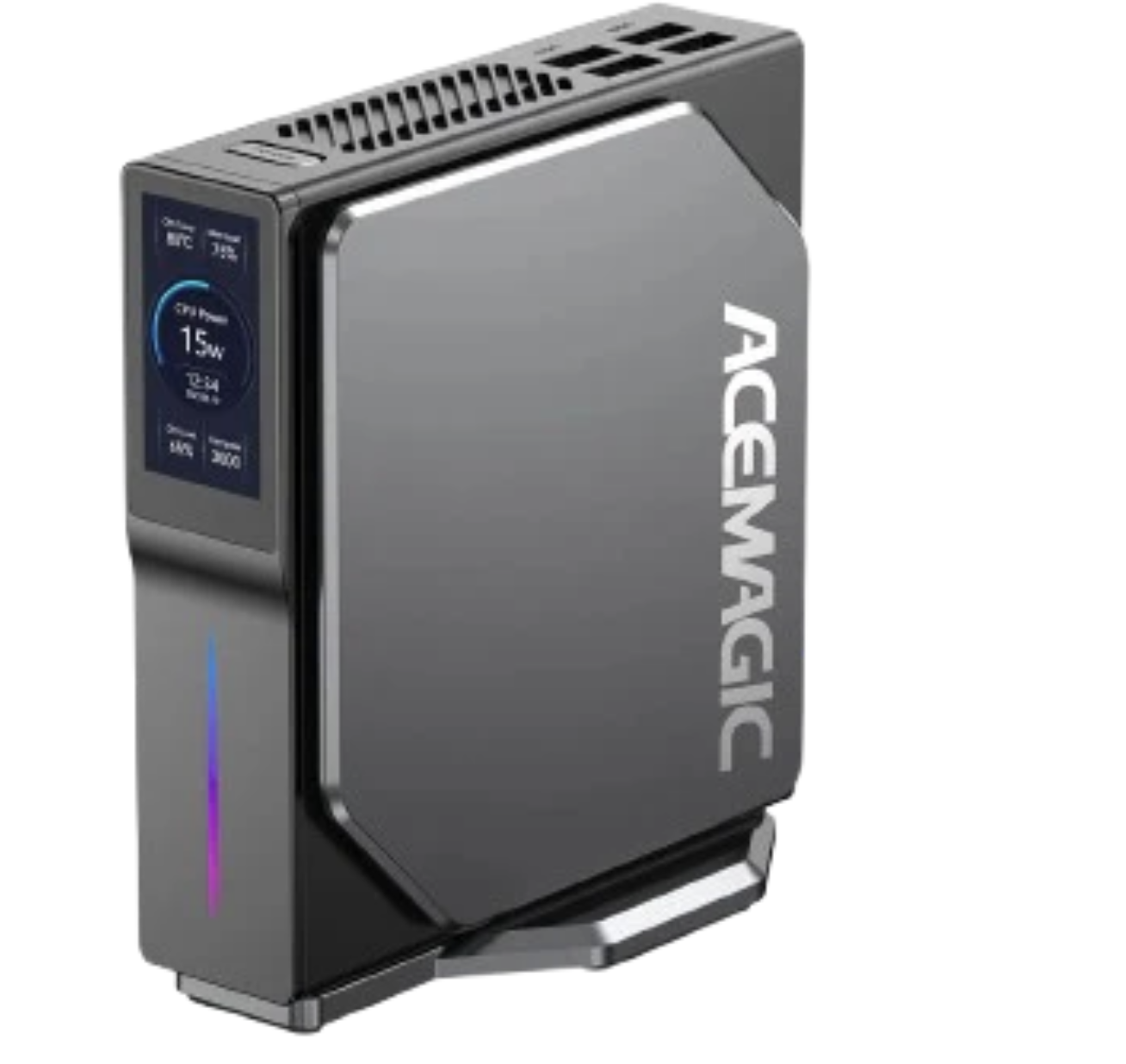
The ACEMAGIC (intel-w-acemagic) has a built-in display showing power draw and temperatures. It handles the storage-heavy workloads.
Specs:
- CPU: Intel (4 cores)
- RAM: 16 GB
- Storage: ~1 TB
- Network: 2.5GbE
- Cost: 25,000 KSH
The extra RAM is useful for Longhorn caching and storage operations.
Why mini PCs?
The whole cluster idles at 50W. Less than one traditional server, cheap enough to leave on 24/7. Three boxes take up less space than a single rack unit. They're quiet enough to live in my kitchen. Silence matters more than I expected. And a shelf of mini PCs is a fraction of enterprise hardware for the same aggregate compute.
Network topology
Rewritten August 2026. The original version of this section described three nodes on a flat network, an unmanaged switch, and no segmentation at all. With two nodes gone, the network turned into the interesting part of the lab.
The Glovary's four NICs are what make this work on one box. I pass one through to OPNsense for WAN and bridge the rest in Proxmox.
Internet
   │
ISP ONT (Huawei HG8145V6, ISP-managed over TR-069)
   │
Glovary ── nic1 → PCI passthrough → OPNsense WAN
   │
   └────── nic2 → vmbr0 ─┬─ OPNsense LAN   10.10.0.1/24   TRUSTED
                         ├─ Proxmox        10.10.0.2
                         ├─ Pi-hole LXC    10.10.0.106
                         │
                         └─ VLAN 30 tagged → MikroTik RB2011
                                              │
                                              └─ IOT 10.30.0.1/24
Two segments so far:
| Segment | Subnet | What lives there |
|---|---|---|
| TRUSTED | 10.10.0.0/24 | Laptops, phones, Proxmox, both Pi-holes |
| IOT | 10.30.0.0/24 | Anything I do not trust, wired or wireless |
IOT is a black box on purpose. Devices get internet and nothing else: no route to TRUSTED, no access to the firewall beyond DNS and NTP, no reaching the Pi-holes, and no talking to each other. That last one is not a firewall rule. Same-subnet traffic never reaches the router, so the switch has to enforce it with split-horizon bridging and wireless client isolation.
The 2.5GbE unmanaged switch is still there and still fine. It carries VLAN-tagged frames between the Glovary and the MikroTik without caring what the tags mean, which is all an access-layer switch has to do.
RouterOS ships bridge ports with ingress-filtering=no and frame-types=admit-all.
A PVID only decides what happens to untagged frames. It says nothing about tagged
ones. So an untrusted device can emit a frame tagged with the management VLAN, and
the bridge will honour that tag without checking whether the port belongs to that
VLAN.
I had a segment that passed 18 isolation tests while this hole was open, because every test ran over a path that did not traverse the switch. A test that cannot see the thing it claims to verify is worse than no test. It manufactures confidence.
Power consumption
Measured at the wall with a smart plug:
- Idle: ~50W total
- Under load: 80 to 100W
Roughly 36 kWh per month at idle. At 26 KSH a unit that's about 936 KSH a month to run the whole cluster around the clock. Lost in the noise of a normal household bill, and a fraction of what a rack server would pull.
The shopping list
| Component | Cost (KSH) |
|---|---|
| Glovary mini PC (firewall + control plane host) | 42,000 |
| AMD mini PC (primary worker) | 40,000 |
| ACEMAGIC mini PC (storage worker) | 25,000 |
| 2x Samsung 980 NVMe (1 TB each) | 26,000 |
| 5-port 2.5GbE unmanaged switch | 6,500 |
| 40Gbps patch ethernet cables | 2,210 |
| 2x 75ft Cat 8 ethernet cables | 5,200 |
| 2x Google Nest WiFi Pro (second hand) | 15,000 |
| Shipping (all items) | 12,000 |
| Total | 173,910 |
Everything on the software side (Talos Linux, Kubernetes, Flux, Longhorn, Prometheus, every self-hosted app) is open source and free.
One thing that surprised me: shipping hardware from overseas was cheaper than buying locally. The only downside was the wait.
What I'd change
More RAM on the control plane. 8 GB works today, 16 GB would breathe easier as services pile up. Matching NICs would simplify the mental model: consistent 2.5GbE across every node. NVMe everywhere too. A couple of boxes still run SATA SSDs, and etcd plus database workloads notice the difference.
Next steps
The ACEMAGIC did not get repurposed. It died. The Dell laptop is still sitting in a drawer, still unassigned, and there is no longer a cluster to add it to.
Worth leaving in as a reminder that "next steps" in a homelab post are a wish list, not a roadmap.
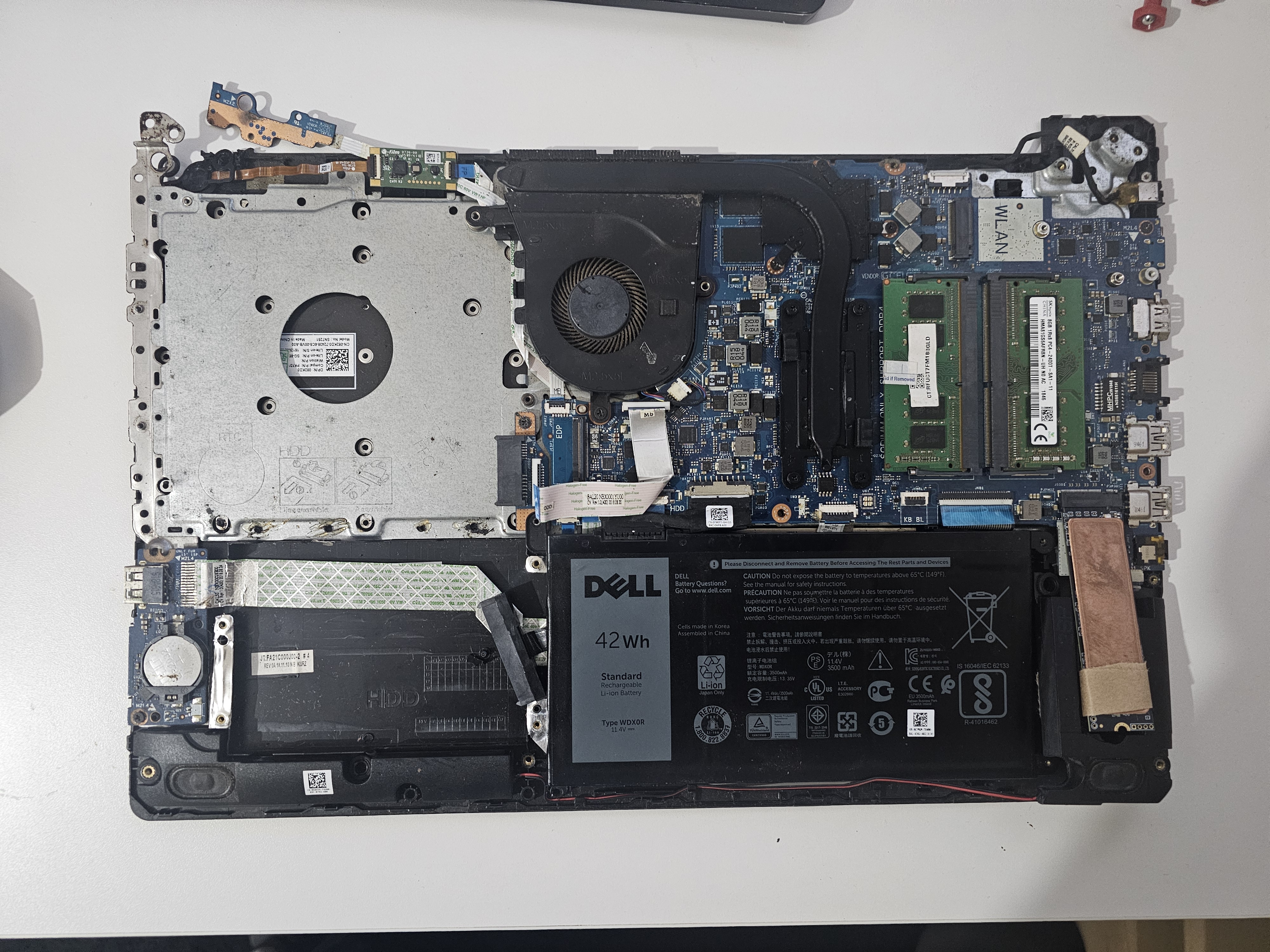
I have an old Dell laptop (Intel Core i7, 8th gen) that would be great for Jellyfin transcoding. The plan is to fold it into the cluster and find a new role for the ACEMAGIC.
Future expansion
Each node has room for one more 4TB SSD. The AMD mini PC, the Dell laptop, and the Glovary firewall all have a free slot. That's 12TB of expansion without adding any new boxes. More disk on the hardware I already own, rather than more hardware.
The catch is cost. 2.5" SSDs at 4TB aren't cheap. For now the two Samsung 980 NVMe drives cover what I need.
The plan: max out what the existing nodes can hold before looking at a dedicated NAS. 12TB of headroom should get me a long way.
My Home Lab covers the software stack that used to run on this hardware, and why it is gone. The same repo now holds network configuration instead of Kubernetes manifests.
Last updated on August 14th, 2026