Wiring Home Assistant Into My Solar Inverter
A Growatt inverter, a Raspberry Pi running Solar Assistant, and Home Assistant on Proxmox. Bridging them took an MQTT broker, a form that silently discarded everything I typed, and a decision to keep the link read-only. Then it stopped watching the house and started switching it off.
I have had solar for a while and Home Assistant for about a day. The interesting part was not installing either one. It was getting them to talk, and deciding how much authority to hand over when they did.
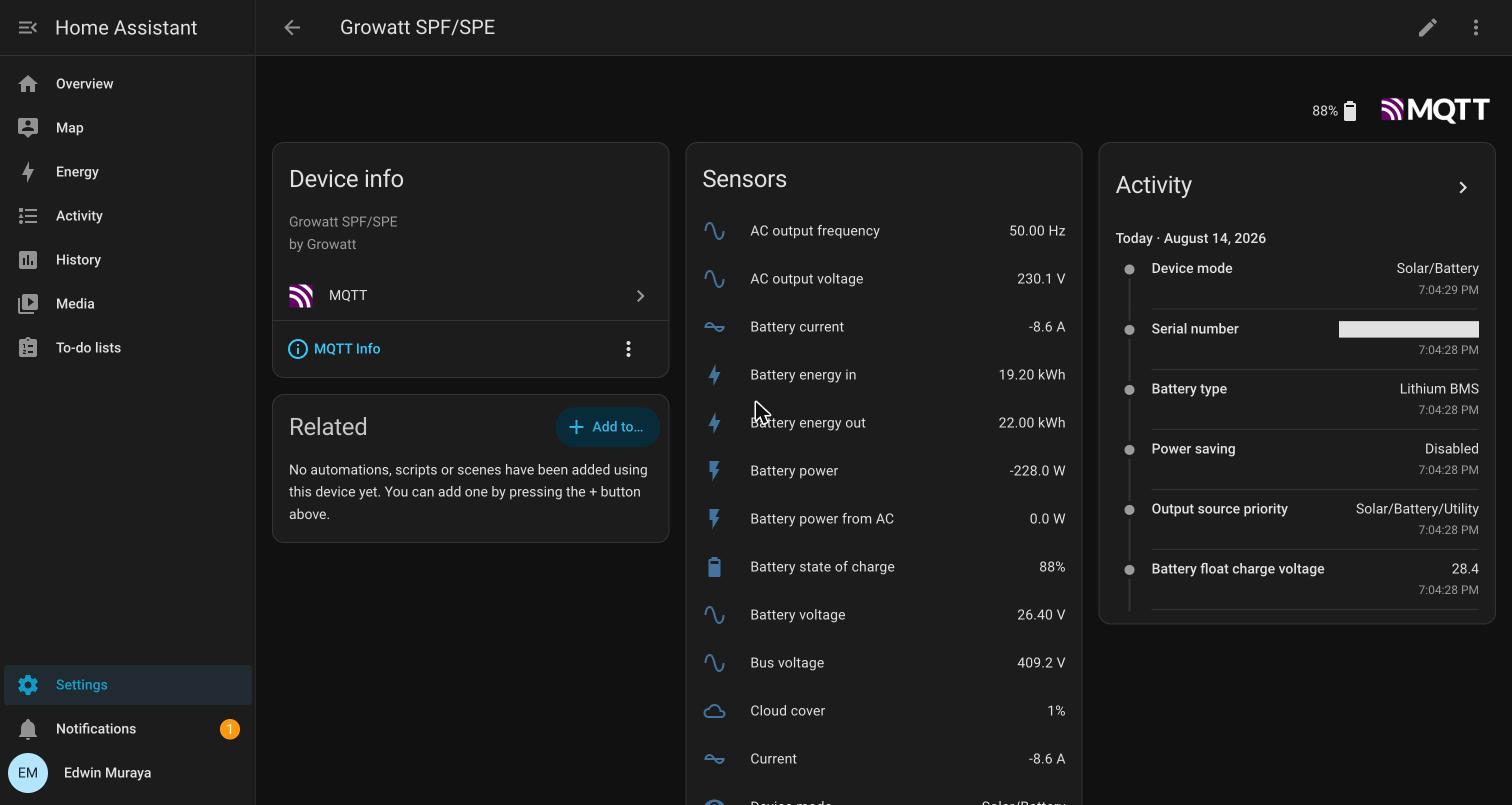
The end state: 59 entities, live inverter telemetry, and a Home Assistant that can read everything about my power system and change none of it.
The pieces
Growatt SPF/SPE inverter
        │  USB (CP2102N UART bridge)
        ▼
Raspberry Pi 5 — Solar Assistant
        │  MQTT over the trusted VLAN
        ▼
Home Assistant OS — Proxmox VM, 4 GB, Zigbee stick passed through
Solar Assistant is the part doing the hard work. It speaks the inverter's serial protocol and exposes the result. Home Assistant is a consumer. Keeping that split clear mattered later.
Home Assistant runs as a VM. HAOS wants the whole appliance, Supervisor and add-ons and its own update mechanism, and a container cannot give it that. On an 8 GB box already running a firewall VM and a Pi-hole container, that meant memory ballooning: 4 GB assigned, 2 GB floor, so it gives memory back when it is idle.
MQTT, and a form that ate my input
Solar Assistant has a built-in MQTT broker. Enable it, set credentials, turn on Home Assistant auto-discovery, done. That is the theory.
What actually happened: I set the fields, hit save, and the page came back with the username and password empty. I tried again. Empty again. Somewhere in there I managed to blank credentials that had previously been set, leaving the broker accepting anonymous connections.
The cause is that the config page is a Phoenix LiveView. The server holds the form state, not the DOM. Setting input values programmatically, which is what I was doing, never reaches the server. So on submit it dutifully saved the state it knew about: nothing.
LiveView only rendered the Save button once the form was genuinely dirty. On every failed attempt, there was no Save button at all. I had been clicking a control that did not exist yet, and reading the resulting no-op as a failed save.
The fix was to type into the fields like a person, so each keystroke updates server-side state. Obvious in hindsight; invisible for three attempts.
The second failure was separate and better disguised. With credentials finally
saved, I connected and got a clean handshake. CONNACK 0, subscription
acknowledged. And then nothing. No messages, ever.
Port 1883 was open, so the broker was clearly running. Except it wasn't: the
listener answering was not the publisher. Solar Assistant's own status page said
Status: Disabled, and its log had one line I had scrolled straight past:
[Fri Aug 14 18:45:45] mqtt: Stopped MQTT broker.
An open port is evidence that something is listening. It is not evidence that the thing you care about is running.
Started it, and the data arrived:
solar_assistant/status                                  online
solar_assistant/inverter_1/battery_power/state          -228.0
solar_assistant/battery_1/capacity/state                5.1
homeassistant/sensor/solar_assistant_inverter_1_pv_power/config  {...}
That last line is the important one. Solar Assistant publishes Home Assistant
discovery documents to the homeassistant/ prefix, so the integration builds
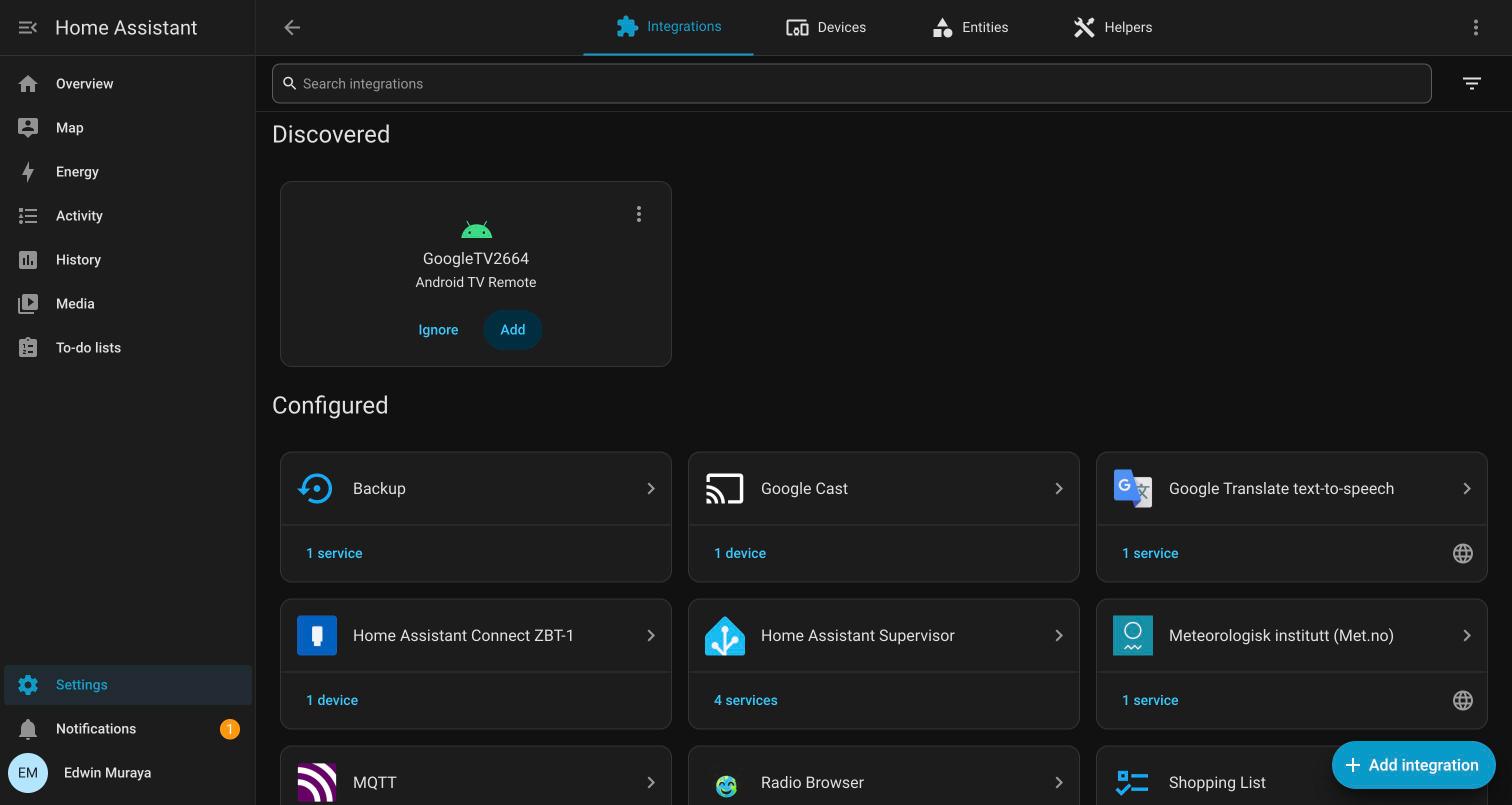
every entity by itself. Fifty-nine of them, two devices, zero YAML.
Read-only, on purpose
Solar Assistant has a setting called Allow setting changes. Turn it on and Home Assistant can write to the inverter: charge priority, voltage limits, output source.
I left it off.
The reasoning is about failure modes, not trust. An automation bug that turns a light on at the wrong hour is an annoyance. An automation bug that changes the charge profile on a lithium battery bank is a different category of problem, and the blast radius is a room full of cells. Read-only means the worst thing a bad automation can do is draw a misleading graph.
I can turn it on later, deliberately, for a specific automation I actually want. Starting from "everything is writable" and narrowing is the harder direction.
The energy dashboard
Home Assistant's energy dashboard needs cumulative kWh sensors with
state_class: total_increasing. Solar Assistant publishes exactly the right set:
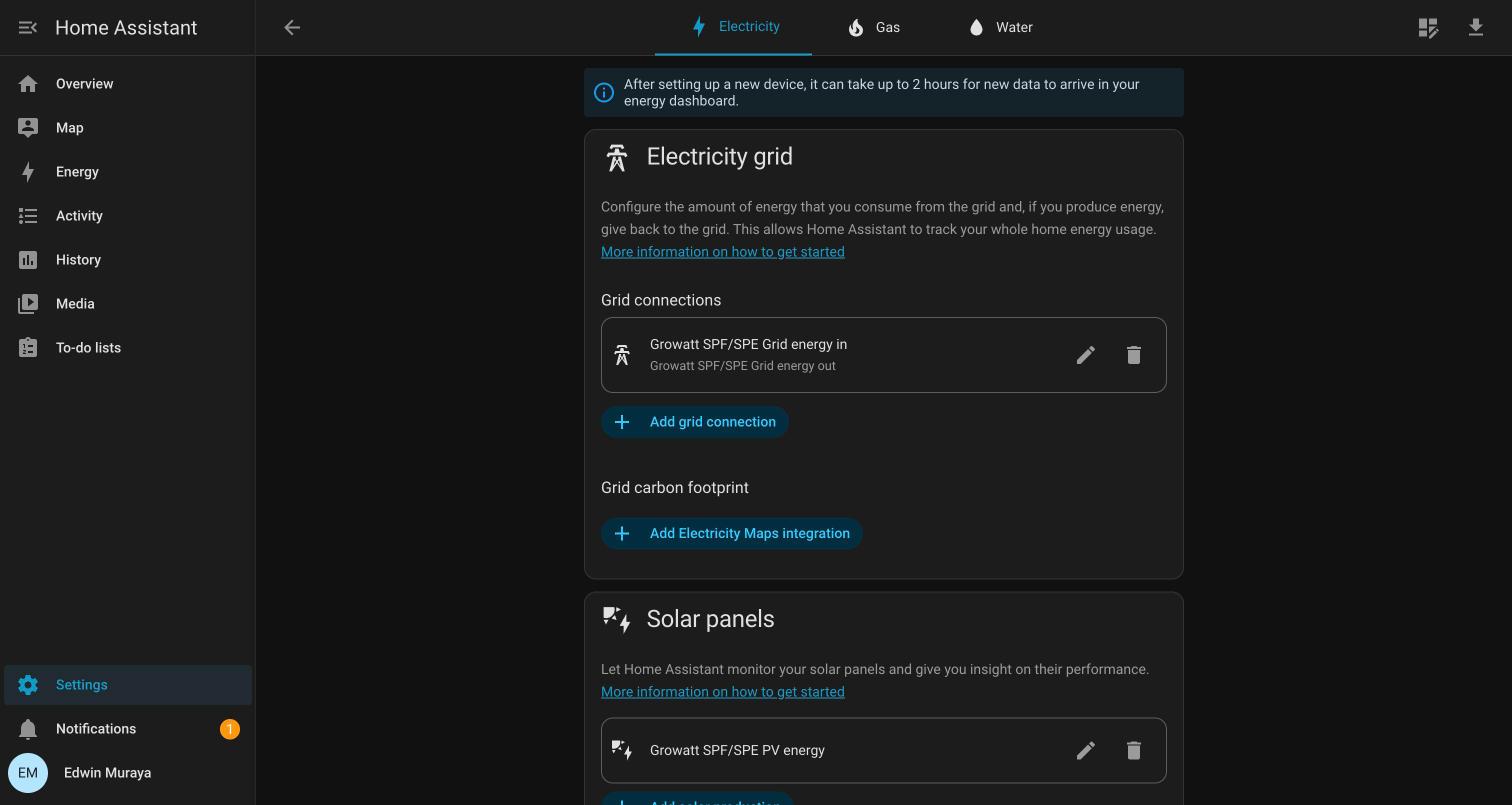
| Slot | Sensor |
|---|---|
| Grid consumption | Grid energy in |
| Return to grid | Grid energy out |
| Solar production | PV energy |
| Battery charge | Battery energy in |
| Battery discharge | Battery energy out |
Two things worth flagging.
The entity picker has a Capacity sensor, classed as energy and
total_increasing. It is the battery's nameplate size, 5.1 kWh, constant. It
belongs in none of these slots, and it sits in the list looking exactly as valid
as the others.
More dangerously, when I selected the discharge sensor the picker handed me the charge sensor, Battery energy in, for the discharged slot. I caught it on the confirmation screen. Had it saved, every graph would have shown charging as discharging, and it would have looked entirely plausible. Battery numbers are symmetric enough that a swap does not announce itself.
I also left the optional battery power sensor unset. Home Assistant offers
"Standard" and "Inverted" for it, because inverter vendors disagree about
whether positive means charging or discharging. Mine reads -228 W while
discharging, which suggests one convention. But suggesting is not knowing, and
a wrong guess here silently reverses the live flow diagram. The dashboard works
fine on the energy sensors alone; I will set it after watching a full charge
cycle in daylight.
Per-appliance, without inventing energy
The five slots above describe the whole house. They cannot tell you the freezer from the television.
Six smart sockets can, and Home Assistant has the right place for them: the individual devices section. It is a breakdown within existing consumption, never added on top. That is the only correct way to model this, because every one of those sockets runs off the same inverter and is already counted in the house load. Put them in as a consumption source instead and the dashboard cheerfully double-counts, showing a house using half again as much power as it does.
Getting them in took a detour. All six plugs expose a cumulative Wh counter, but
the integration tags only two of them total_increasing. The other four are
tagged measurement, and the energy dashboard silently refuses anything that is
not a total. It integrates by differencing consecutive readings, so a
measurement is meaningless to it.
The symptom is that four appliances simply are not in the picker. No error, no greyed-out entry with a tooltip. They are absent, and absence reads as "this device does not report energy". The truth is that it reports energy with the wrong label.
The values are cumulative totals; only the tag is wrong. So four template
sensors mirror them with the correct state_class:
- name: Deep freezer energy total
  unique_id: deep_freezer_energy_total
  unit_of_measurement: Wh
  device_class: energy
  state_class: total_increasing
  state: "{{ states('sensor.deep_freezer_energy') }}"
Deliberately here, and not in the integration's own device definitions. Those live in a directory owned by the community store, which is overwritten on update. A fix there would disappear at the next upgrade without saying anything.
total_increasing also handles counter resets by design, which matters more
than it sounds: these plugs restart their count when they lose power, and this
house loses power.
Where it sits on the network
The inverter Pi and Home Assistant both live on the trusted VLAN. Neither is on the IoT segment, which is sealed off from everything and is where I put hardware I have no reason to trust.
That is a deliberate exception rather than an oversight. The Pi is a machine I administer, running software I chose, and Home Assistant needs to reach it on a port that IoT devices are explicitly denied. If I ever put a cloud-connected inverter dongle on this network it goes in IOT with the cameras, and it can talk to the internet and nothing else.
MQTT itself is authenticated now, and anonymous connections are refused. That is worth doing even on a trusted segment, because "trusted" describes my intent, not a guarantee about every device that will ever hold a lease there.
What the data was actually for
Fifty-nine entities is a dashboard, not a system. The point of the bridge was to make the house able to tell me things, and until something is wired to a notification it cannot.
Within an hour of finishing the MQTT plumbing I found out I had been sitting through a grid outage without knowing. The inverter had switched to battery silently, and nothing in the house had any way to say so. The dashboard I built to look at solar production was the first thing that noticed.
So: three automations.
Grid lost and restored. The inverter reports 0 V on its grid input when utility is absent, so a sustained low reading is the signal. Two minutes of hysteresis, so a transfer blip does not page anyone.
Battery falling, at 50 / 30 / 20%, with each message carrying the runtime remaining:
Battery at half. 86% left, drawing 276 W, about 13.1 h to the inverter's 15% cutoff.
A bare "battery at 30%" is not actionable. Hours-until-dark is.
All three tiers share one notification id, so 50 → 30 → 20 replaces rather than stacking three stale messages.
Setting up the energy dashboard, I selected the discharge sensor and the picker gave me Battery energy in, the charge sensor, for the discharged slot. I caught it on the confirmation screen.
Had it saved, every graph would have shown charging as discharging. Battery numbers are symmetric enough that the swap does not announce itself; it would have looked entirely plausible for months.
The same list has a Capacity sensor, classed as energy and
total_increasing. It is the bank's nameplate size, a constant, and it sits
there looking exactly as valid as the real ones.
From watching to switching things off
Three automations that notice things is still a system that only talks. The change came from six smart sockets: freezer, dispenser, TV, living room system, water pump, washing machine. They are driven locally over the LAN rather than through the vendor's cloud, so they keep working during exactly the conditions that matter.
The important design decision is that battery level and the clock own different sockets, and never the same one at the same time.
Schedules are for things nobody needs at 3am: the freezer rides its thermal mass between 03:00 and 07:00, the dispenser is off overnight, the TV and living room system are cut at the socket, so the standby draw goes with them.
Shedding is for a battery that is genuinely running out, during an outage only, in an order that matches what I would actually give up:
45%   dispenser        nobody notices
35%   TV               standby draw goes too
30%   living room system
25%   deep freezer     last, because food
────────────────────────────────────────
20%   the guard shuts the servers down
15%   the inverter cuts everything
On mains, a deep cycle is just a deep cycle and nothing should be switching itself off. Every rung is conditioned on an actual outage.
The two systems collide in one specific place, and it is worth stating because I got it wrong first. A reconciler re-asserts the schedule every fifteen minutes, because a missed switch-on is invisible. You discover it by opening the freezer days later. But that is exactly wrong during shedding: it would turn the freezer back on four minutes after a battery crisis switched it off, and neither automation would look broken on its own. So shedding raises a stage counter, and the reconciler stands down whenever it is above zero.
Presence closes the last gap. Running the TV and living room system on battery for an empty house is the one saving with no comfort cost at all. So when everyone is out during an outage, both go off. The freezer is never included. An empty house is not a reason to spoil food.
That automation carries three guards, because nobody is home is a dangerous thing to be wrong about, and my home zone turned out to be configured three kilometres from my house. Occupancy is counted only from people who are actually reporting; a phone that has gone quiet cannot authorise switching anything off; and fifteen minutes of absence is required, because walking to the shop is not an evacuation.
The guard that Home Assistant deliberately does not run
The homelab runs on this inverter. A long outage does not degrade it gently. it drops a running hypervisor cold, three guests mid-write.
So there is now a watchdog that reads the battery over MQTT every minute and, at 20% with the grid absent, stops Home Assistant, then the Pi-hole container, then the firewall, then powers the host off. Twenty percent leaves about an hour of margin at the observed draw; a shutdown takes two minutes.
It runs on the hypervisor, not in Home Assistant, and that is the whole design. Home Assistant is a virtual machine on the machine being shut down. If it were the decider it would have to stop itself partway through the sequence and hand the rest to a script on the host anyway. So the script is the real guard, and HA in front of it is just extra links in a chain that has to hold precisely when power is failing.
guard on the host   needs:  MQTT + itself
guard inside HA     needs:  MQTT + HA + its VM + a way to reach the host + the host
What Home Assistant is better at is showing state and telling me. So the guard publishes a retained heartbeat and announces itself over MQTT discovery, and HA builds four entities from it with no YAML edited inside the appliance: status, confirmation count, armed, on-battery.
Each carries expire_after: 300. That is the point of the heartbeat. If the
guard stops running, the entities go Unavailable. They do not sit on a stale
ok. A guard that has died should not be indistinguishable from a guard
with nothing to report.
The heartbeat was fine. The entities evaporated anyway.
That paragraph was true and still cost me a day, because I had the failure directions backwards.
Weeks later every one of those entities went Unavailable at once. By the
design above, that means the guard died. It had not. It was running every
minute, exiting zero, publishing to a broker that was
holding its current heartbeat on the exact topic those entities named, through an
MQTT integration that reported itself loaded the whole time. Nothing logged an
error.
MQTT discovery documents are retained messages, and this broker does not persist retained messages across a restart. My guard published its discovery once, by hand, at install time. When the broker restarted, the definitions were gone. Home Assistant kept the entities in its registry with nothing left to rebuild them from, and they sat unavailable permanently while the guard wrote happily into the void.
Solar Assistant's fifty-nine entities came back from the same restart without a scratch, for one reason: it re-announces continuously. I had assumed "retained" meant the broker would remember on my behalf.
So both my publishers now re-announce on every run. Twelve extra retained messages every five minutes, and a class of permanent silent failure becomes a five-minute self-heal.
The heartbeat was designed so that one state, Unavailable, meant exactly one
thing: the guard has stopped. Then a second, unrelated cause started producing
the identical symptom, and the signal quietly lost its meaning.
That is worse than a missing check. I had trained myself to read those tiles a particular way, and they were now telling me something else in the same words.
It fails open. If the inverter cannot be read, broker down or Pi rebooting, it clears its counter and does nothing. The worst case is the hard cut that already existed; failing the other way means powering the house's router off because a Raspberry Pi restarted. I tested that path before trusting the happy one, along with grid-present, the disable flag, and a forced trigger that walked all the way to the shutdown sequence in dry-run.
The one thing that undoes all of it is unglamorous: the host has to power itself back on when mains returns. That is a BIOS setting, it cannot be read from the operating system, and a graceful shutdown without it is just a tidier way to stay off.
The Pi is the one machine my config-backup script cannot reach, because there is no SSH key on it yet. So none of this MQTT configuration is captured in my snapshots. Everything above exists in exactly one place, on a Pi 5 I have not backed up.
That is the next job, and it is more urgent than anything else in this post.
Last updated on August 14th, 2026